
Admin GUI
The admin GUI is a single page application built with jQuery 4, Bootstrap 5.3, Font Awesome 7 and
highlight.js 11 loaded from the jsDelivr CDN (with Subresource Integrity), plus a few files served by the library
itself — no build step, no node_modules. The look follows phpMyAdmin: a navigation tree on the left, a breadcrumb
bar and tab strip on top, framed panels and striped data grids.
Offline use: identical copies of the libraries (same SRI hashes) ship in src/Admin/assets/vendor. The CDN is
always tried first; when it is unreachable, assets/loader.js detects the missing libraries and loads the local
copies, so the GUI also works without Internet access.
How a table becomes an API endpoint
Section titled “How a table becomes an API endpoint”- The database is connected (setup wizard or Connections).
- Each table is either not exposed, or exposed by one of three sources — the first one wins: code (your application) › GUI (exposed / customized here, stored in SQLite) › auto (generated from the schema while auto expose is on).
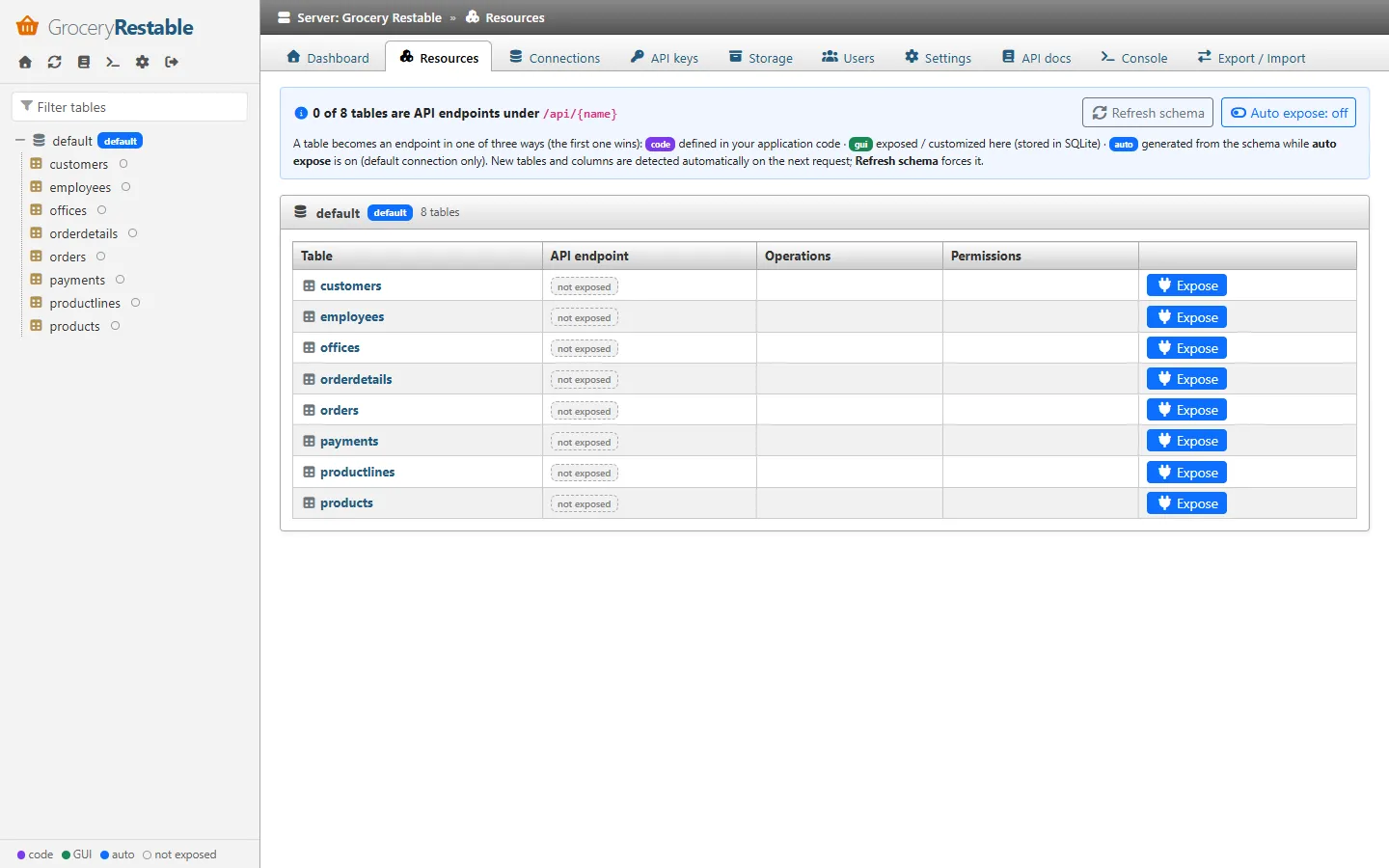
- With auto expose on, every table of the default connection is an endpoint, including tables created later. With it off, click Expose on the Resources page (or on the table’s status bar).
- Structure changes (new tables, columns, keys) are detected automatically on the next request; the navigation re-reads the table list while you move around and a notification announces new tables. The refresh icon in the navigation (or Refresh schema on the Resources page) forces it.
The Dashboard shows these steps as a checklist, and every table page shows a status bar with its endpoint.
Default URL: /grocery-restable (adminRoute / adminUrl).
Setup wizard
Section titled “Setup wizard”Shown until the first setup is completed, then permanently closed (404).
| Step | Content |
|---|---|
| 1. Framework | No framework (native PHP) or CodeIgniter 4. CodeIgniter is selectable only when the library runs inside a CodeIgniter app. |
| 2. Database | With CodeIgniter: use a CodeIgniter database group, or configure a connection. Otherwise: database engine + PHP driver (PDO / MySQLi), host, port, database, credentials. Test connection runs SELECT 1. |
| 3. Admin account | Username (3–64 chars) and password (8+ chars), stored with password_hash(). |
| 4. API options | Application name, authentication mode, auto expose. |
| 5. Done | The generated anon and service_role API keys, shown once. |
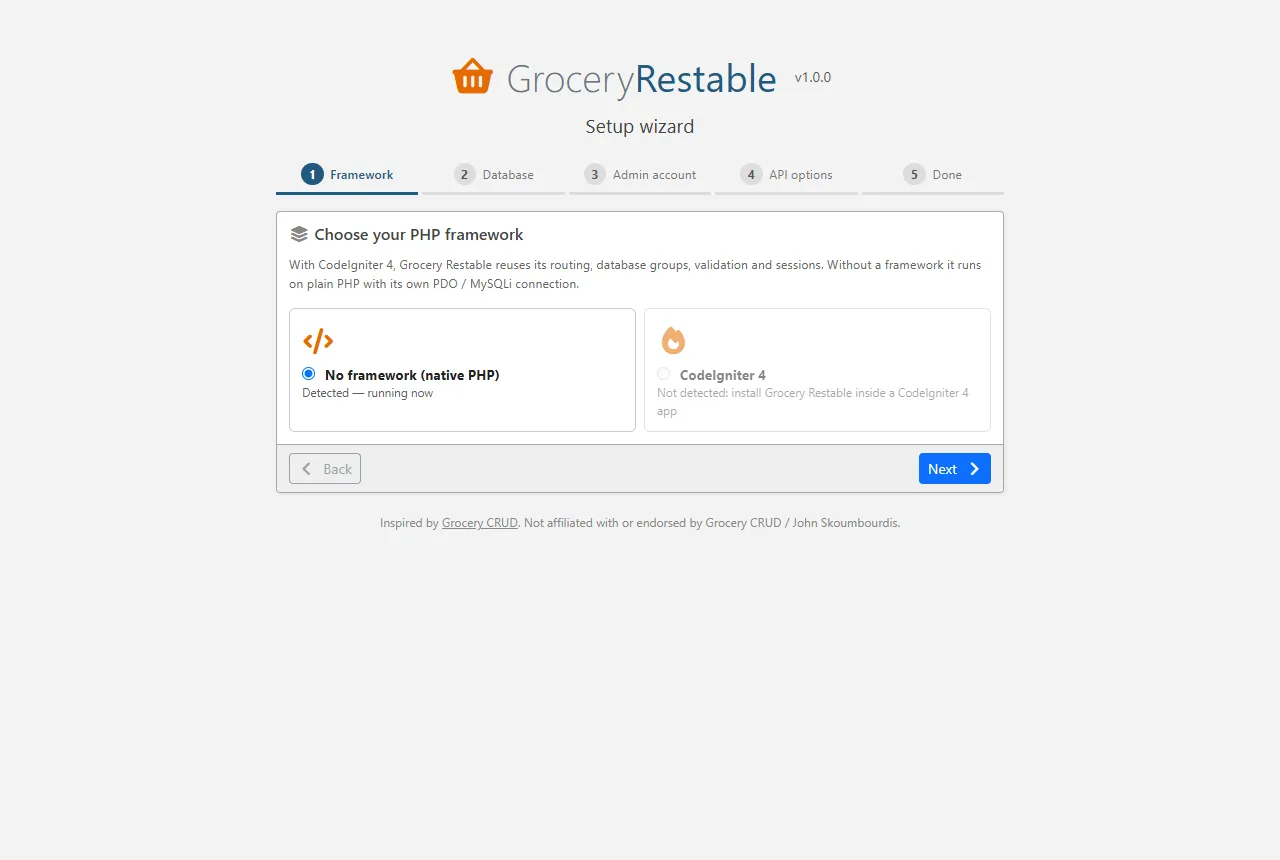
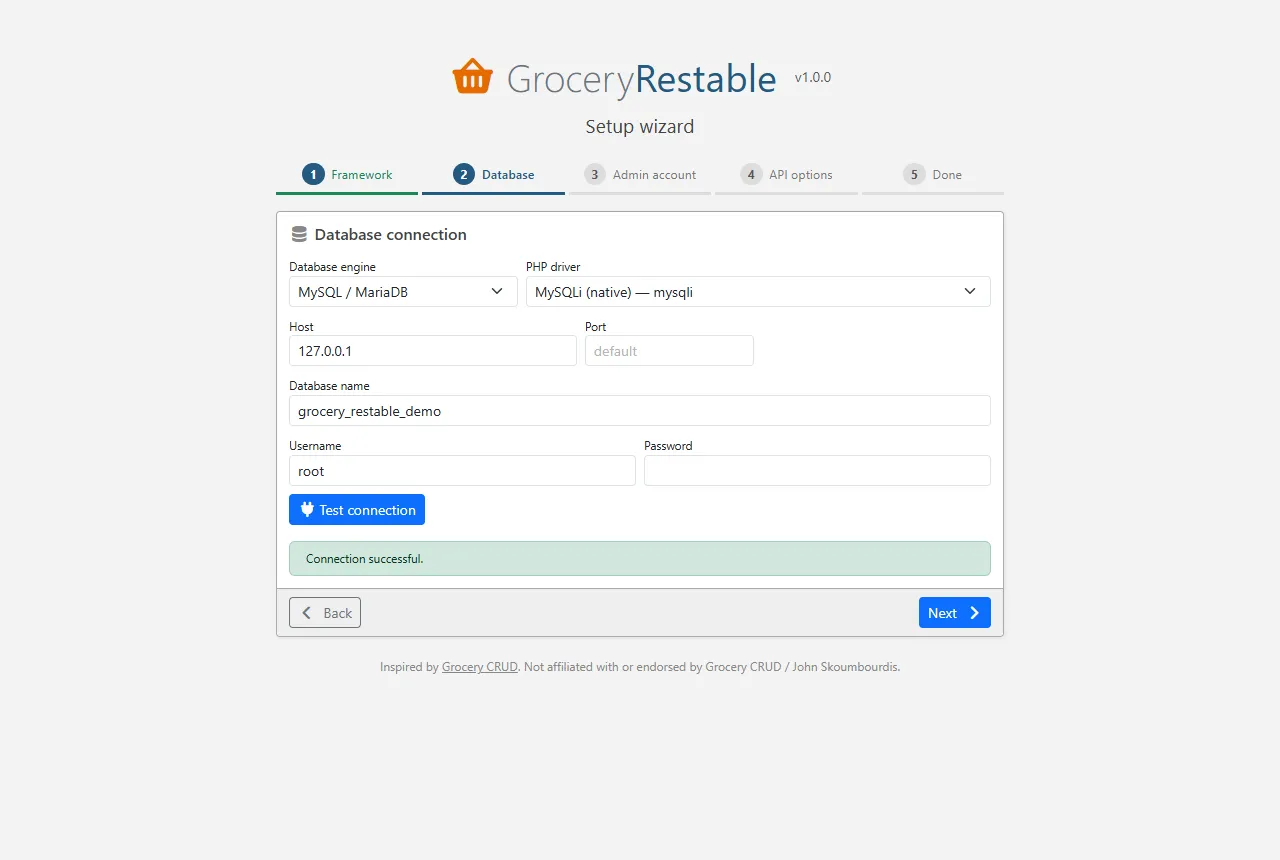
Everything is written in one SQLite transaction, so a failed attempt can simply be retried.
Access to the wizard: only from trustedSetupIps (localhost) unless setupToken is configured, in which case
open /grocery-restable/setup?token=<setupToken>. On servers, prefer php spark grocery-restable:setup.
Username / password form with CSRF protection. After 5 failed attempts per IP within 15 minutes further
attempts are refused (HTTP 429). Sessions expire after 2 hours of inactivity; the session id is regenerated
at login and logout. Additional admins are managed on the Users page or with php spark grocery-restable:admin.
Layout
Section titled “Layout”- Navigation (left): connections and their tables/views. A dot shows how a table is exposed: purple = code, green = GUI, blue = auto, hollow = not exposed. The filter box narrows the tree; the icons on top open the dashboard, refresh the schema, docs, console, settings and log out.
- Status bar (below the tabs, table pages): Exposed as
/api/orders(gui) — Configure · Try it, or not exposed — Expose with defaults. - Breadcrumb (dark bar):
Server » Database » Table. - Tabs: server level tabs, or table tabs when a table is selected.
Server level pages
Section titled “Server level pages”| Tab | What you can do |
|---|---|
| Dashboard | Getting started checklist (database connected, tables exposed, API secured, keys, try the API) with direct links, counters, general information, quick start snippets, configuration warnings (auth disabled, debug on, missing encryption key, open CORS). |
| Resources | Every table of every connection with its endpoint and source (code / GUI / auto) or not exposed, operations, permissions and problems. One-click Expose, Configure, Try, Remove (GUI resources), the auto expose switch and Refresh schema. |
| Connections | Framework and GUI connections with engine and PHP driver; add / edit / test / delete GUI connections, choose the default connection. Passwords are never sent back to the browser (leave empty to keep). |
| API keys | Create keys for a role (shown once), revoke or delete them, see last use. Generate test JWTs when JWT auth is enabled. |
| Storage | Create / edit / delete buckets (public flag, allowed types, max size, per-role permissions); browse folders, upload, download, copy the API URL, delete objects. |
| Users | Admin accounts: add, change password, delete (not yourself, not the last one). |
| Settings | All runtime settings: API behaviour, uploads, authentication (mode, default permission grid, JWT secret / algorithm / claims), CORS. Clear schema cache. |
| API docs | Endpoints grouped by resource (from the OpenAPI document) with parameters and body schemas, a query syntax reference, download openapi.json, Try in console. |
| Console | Send any request (GET/POST/PUT/PATCH/DELETE, path, Prefer header, JSON body) as a chosen role without a key — e.g. check what anon sees. Shows status, time, headers, pretty JSON. Copy as cURL. |
| Export / Import | Download / import the GUI configuration as JSON. |
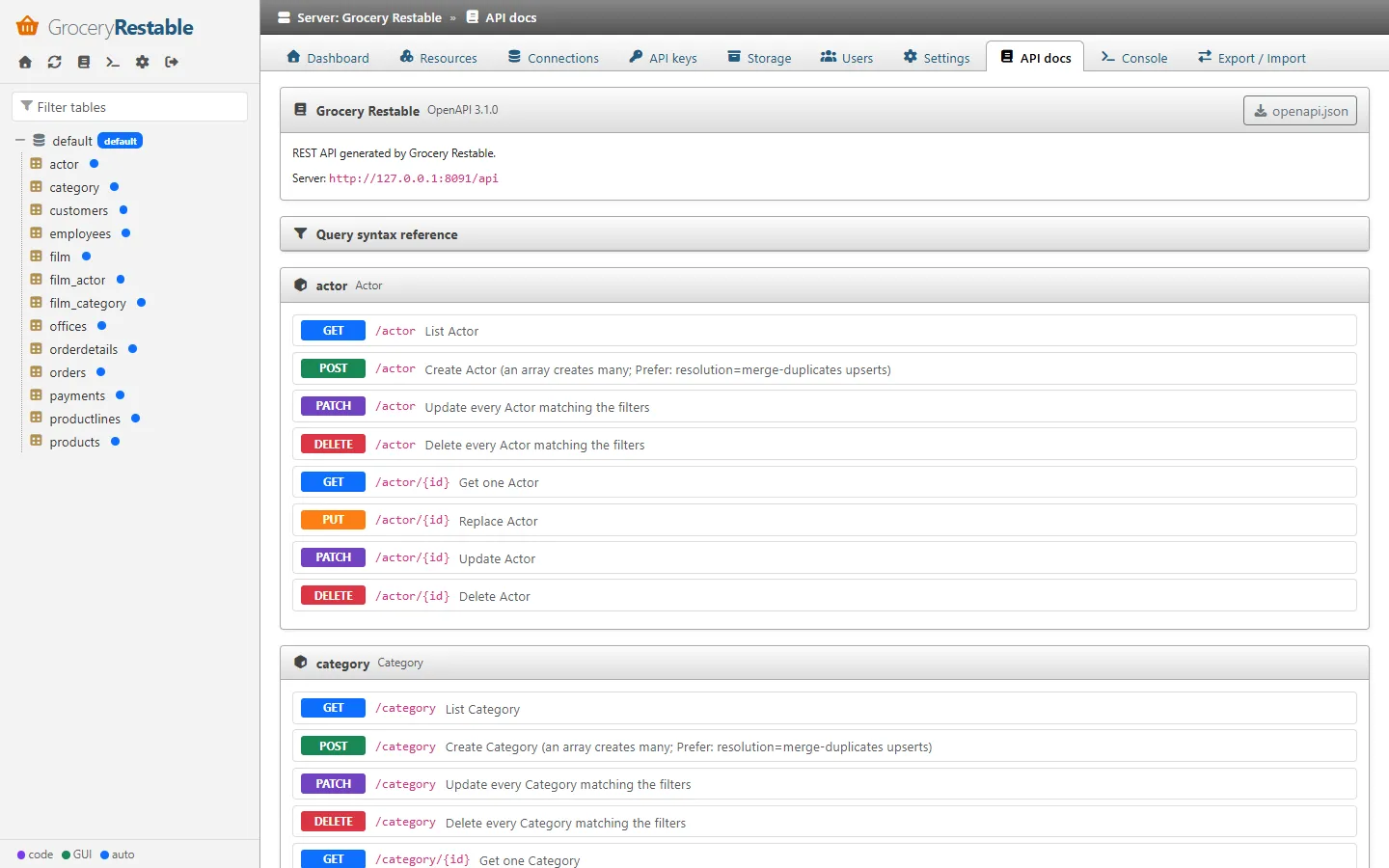
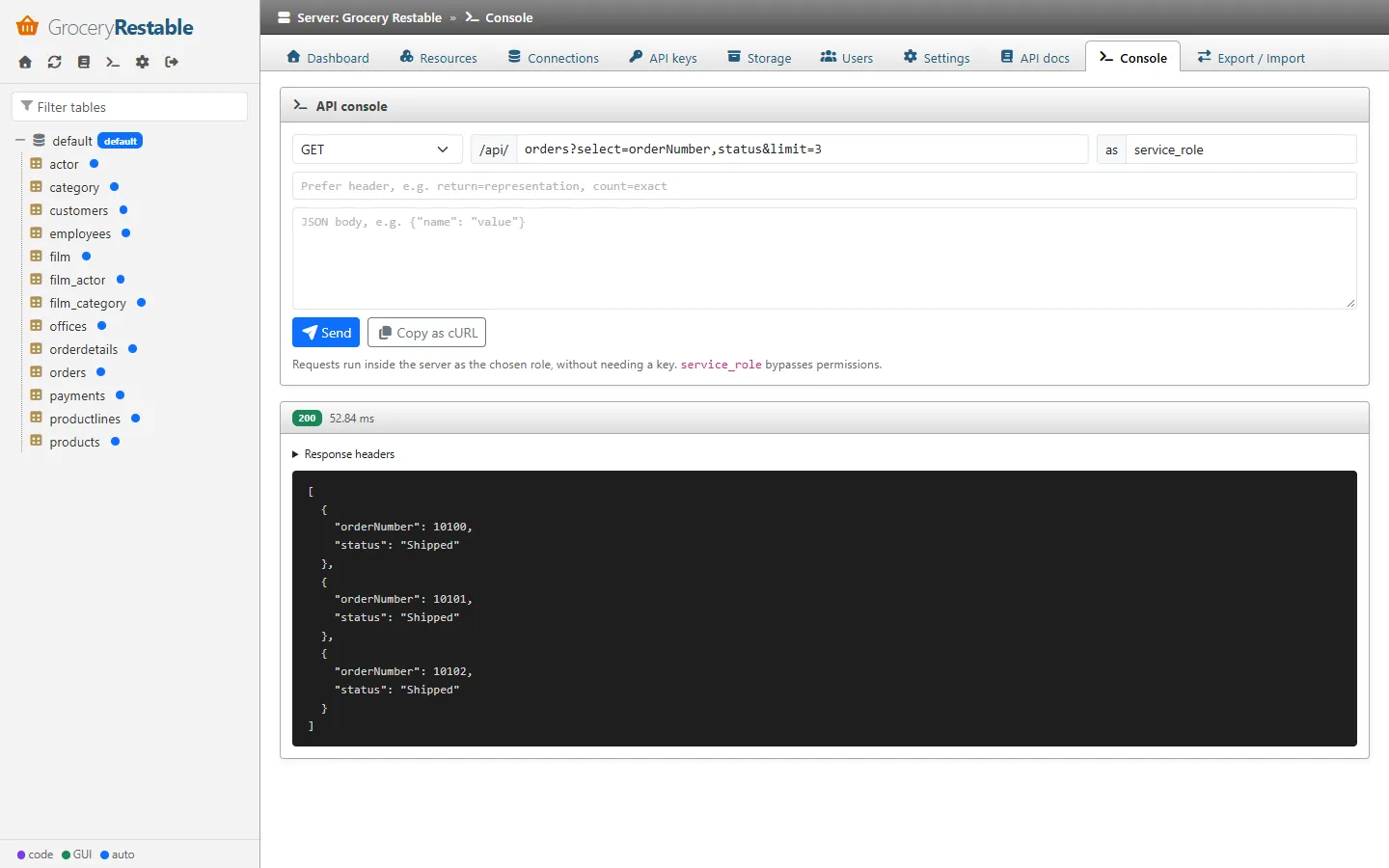
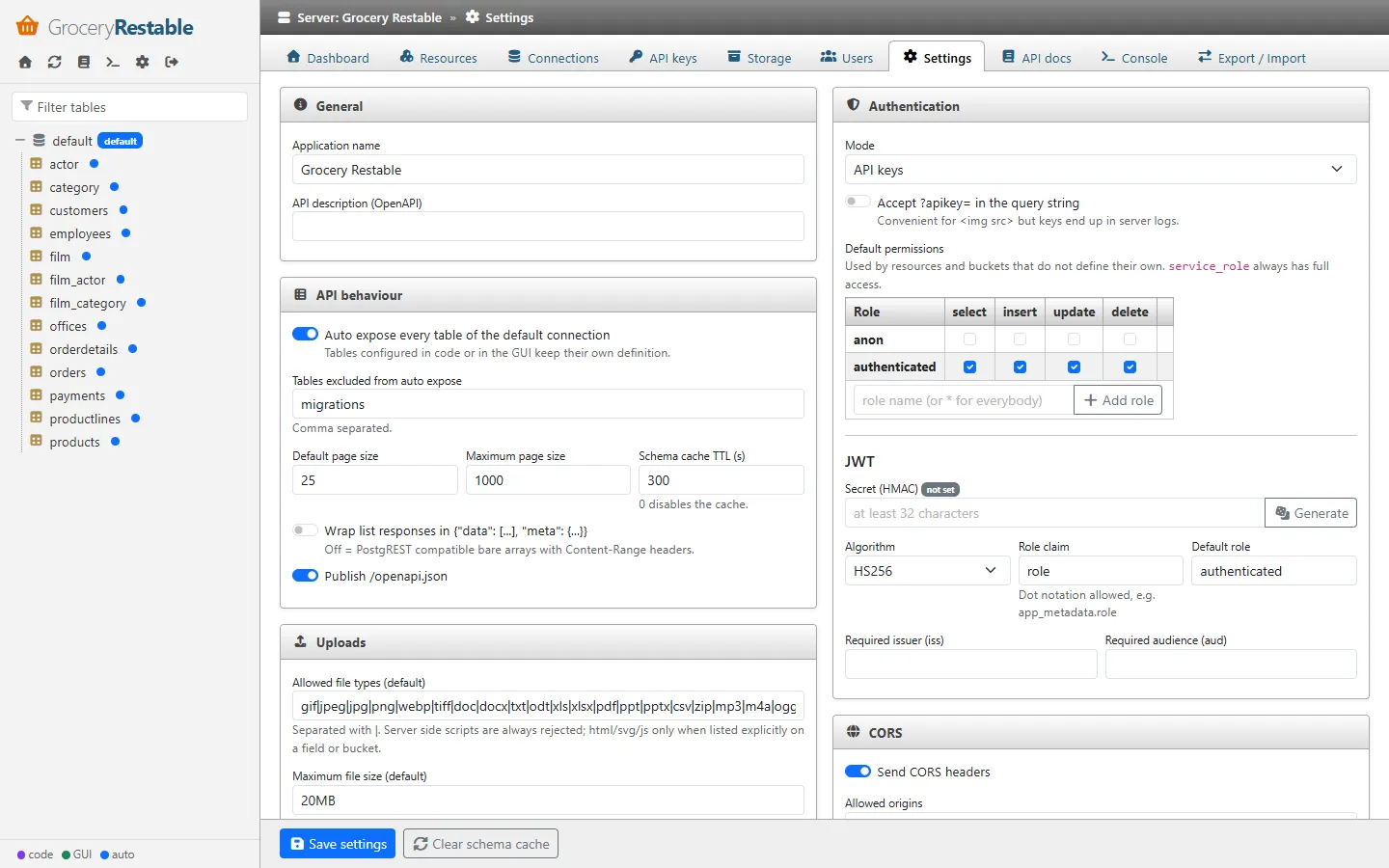
Table pages
Section titled “Table pages”Browse
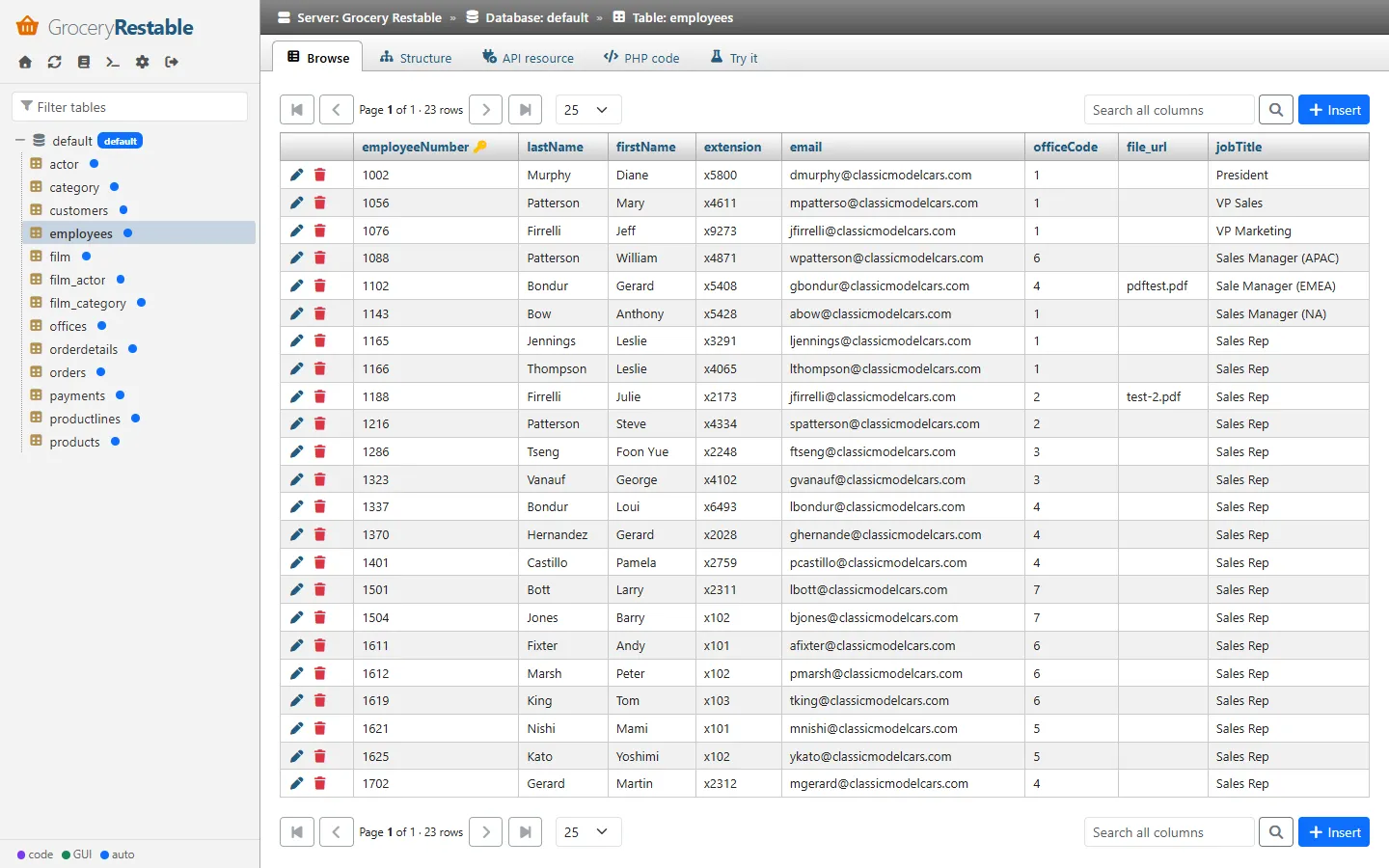
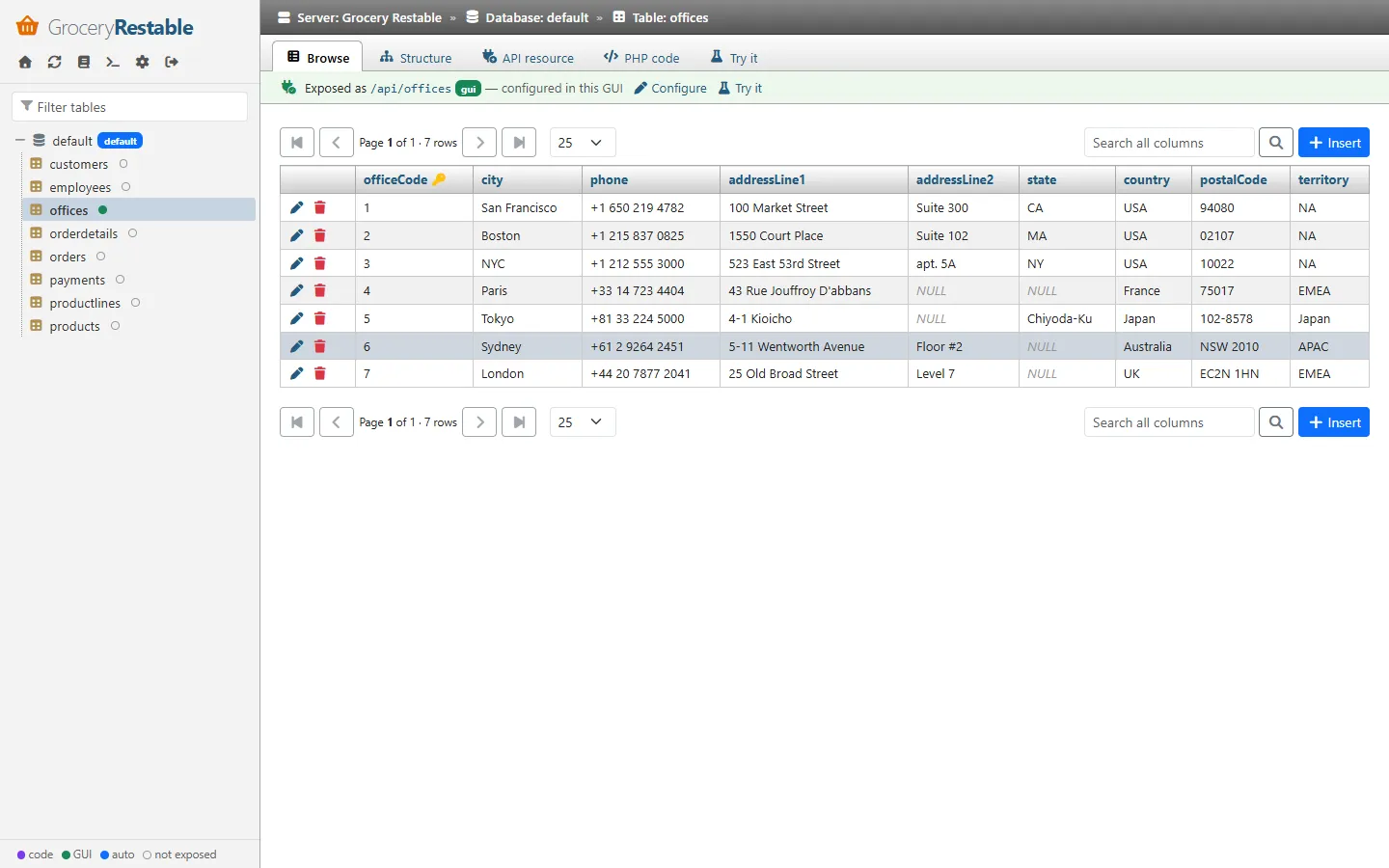
Section titled “Browse”Paginated data grid (10–500 rows per page), click a header to sort, search across all columns. With a primary key
you can insert, edit and delete rows: the editor shows one row per column with a NULL checkbox and a
Set / Change checkbox — only checked columns are written. Binary values are displayed as [BINARY n bytes].
These edits go straight to the database with bound parameters (resource rules and callbacks are not involved).
Structure
Section titled “Structure”Columns (native type, API type, nullability, default, PK/FK, auto increment / generated, comment), foreign keys and the tables referencing this one. Refresh clears the schema cache of the connection.
API resource
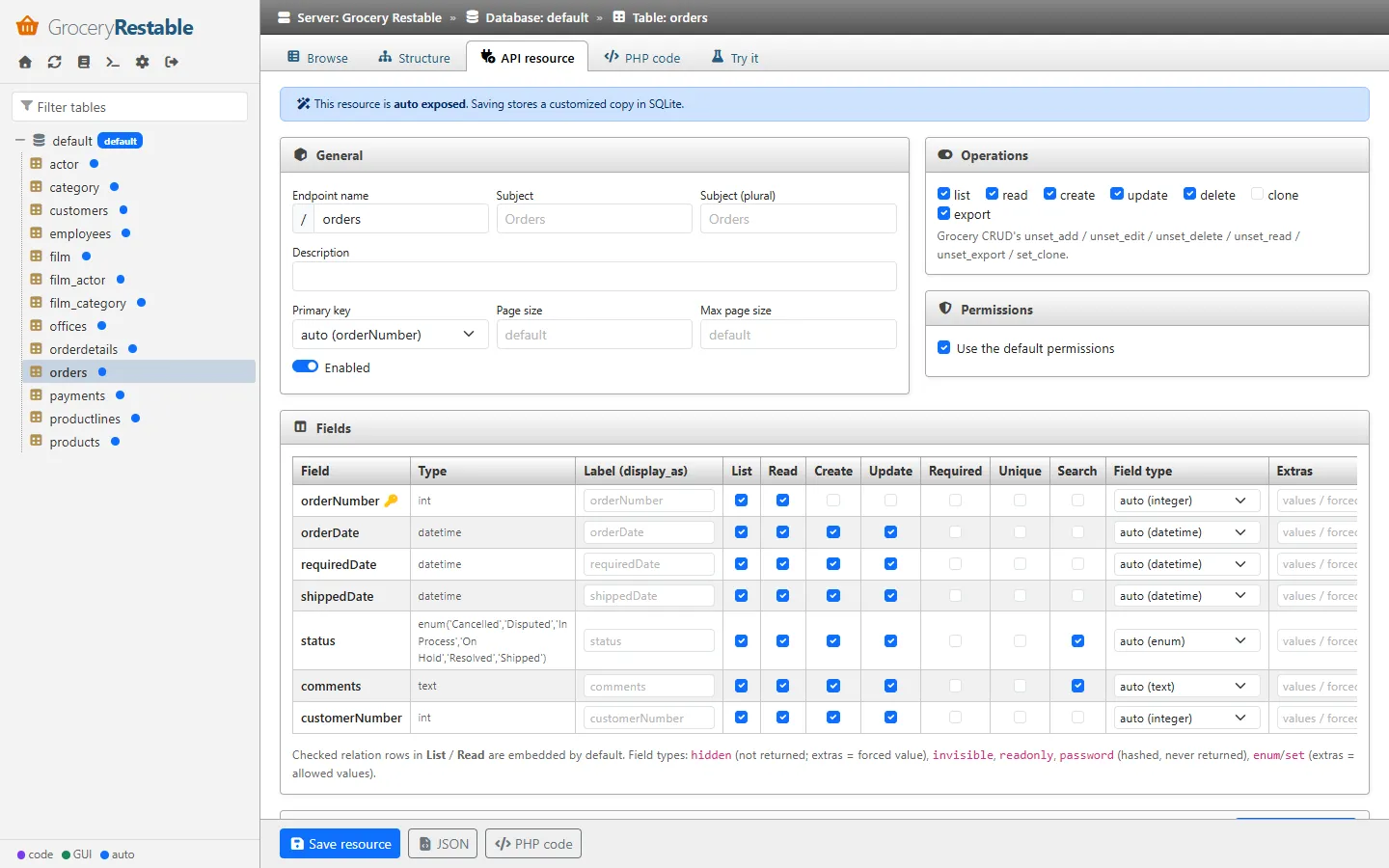
Section titled “API resource”The resource editor. If the table is not exposed yet, Create API resource generates a definition from the schema (relations from foreign keys). Auto-exposed resources can be customized (saving stores a GUI copy); code resources are shown read-only.
| Panel | Maps to |
|---|---|
| General | endpoint name, subject (singular / plural), description, primary key override, page size, max page size, enabled |
| Operations | list, read, create, update, delete, clone, export (unset_*, set_clone) |
| Permissions | default permissions, or a role × operation grid (* = everybody) |
| Fields | per column: label (display_as), List, Read, Create, Update, Required, Unique, Search, field type, extras (allowed values / forced value), CodeIgniter rules. Relation rows: List / Read = embedded by default; many-to-many rows are writable. |
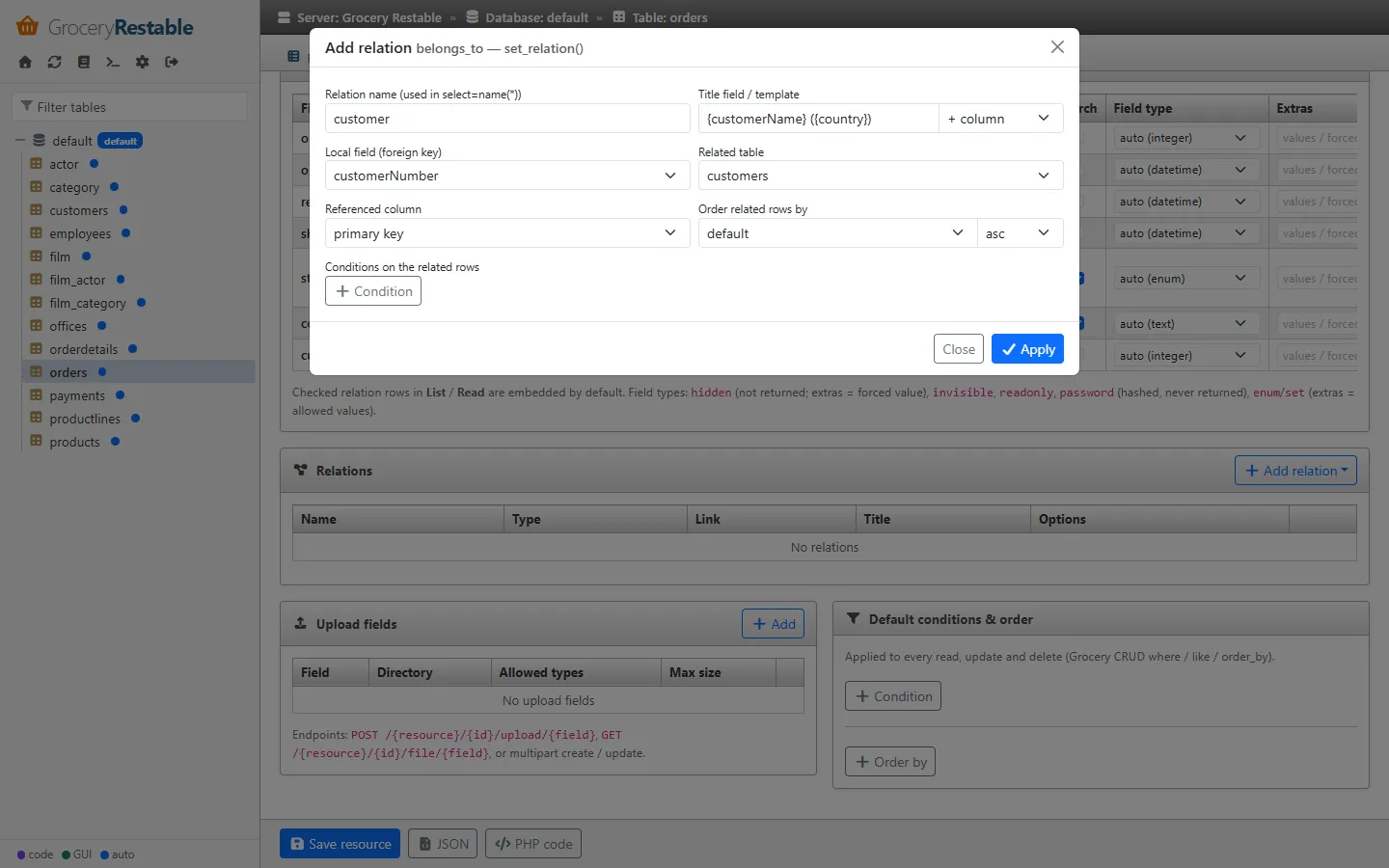
| Relations | add / edit / delete belongs_to, many_to_many, has_many in a modal with table and column pickers, title template builder ({lastName} {firstName}), ordering and conditions; Detect from foreign keys |
| Upload fields | field, directory (relative to the upload path), allowed types, max size |
| Default conditions & order | where / or_where / like rows and order_by |
The sticky footer has Save resource, JSON (the stored definition) and PHP code (the equivalent fluent code). Invalid definitions are rejected with the list of problems (unknown columns, name collisions …).
PHP code
Section titled “PHP code”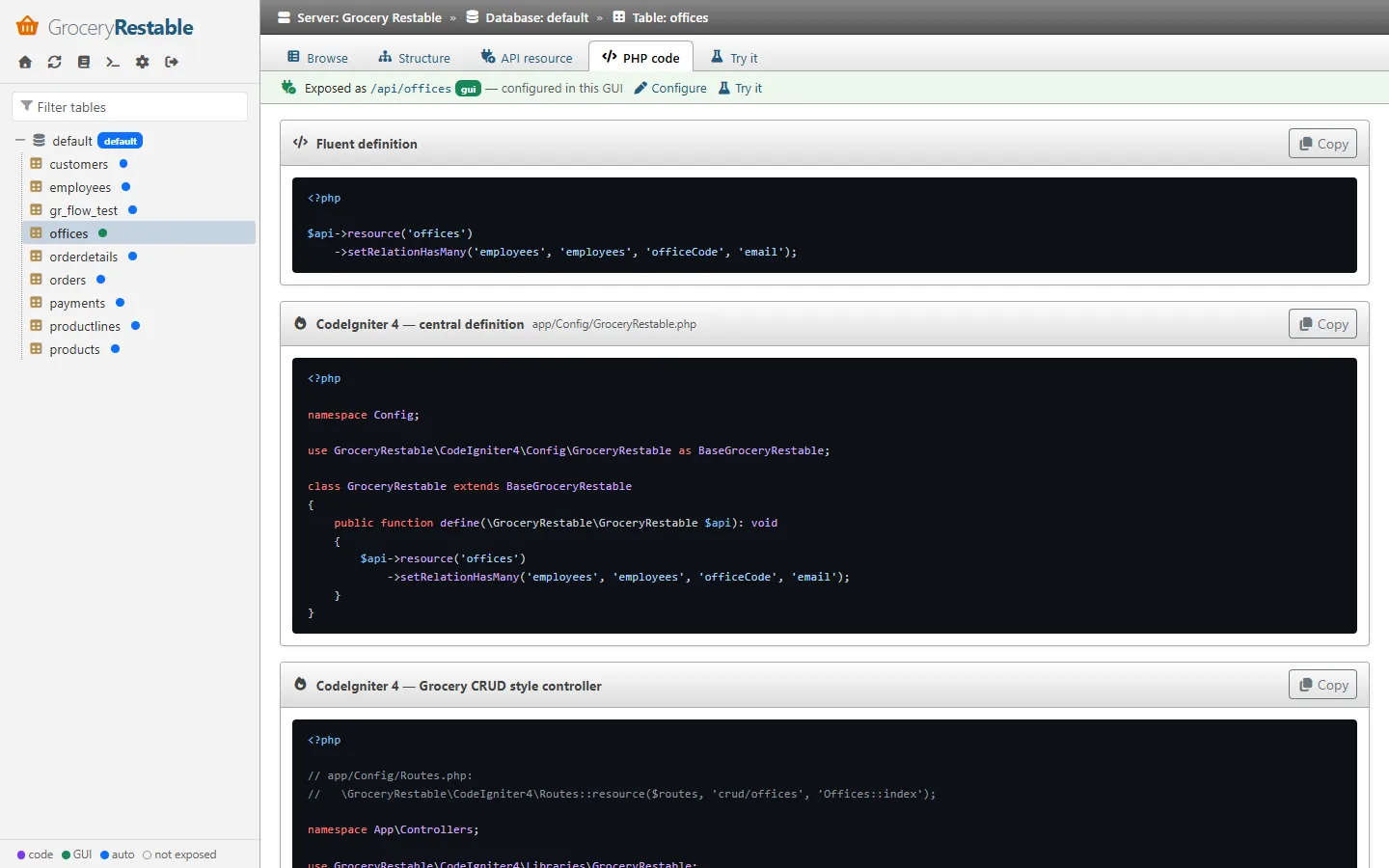
Syntax highlighted (highlight.js) — the fluent definition of the resource, a ready-to-paste app/Config/GroceryRestable.php, and a Grocery CRUD style
controller using GroceryRestable\CodeIgniter4\Libraries\GroceryRestable.
Try it
Section titled “Try it”Example requests for the resource (list, count, embed, filter, search, schema, create, update, delete) that open in the console, and cURL snippets.
Security of the GUI
Section titled “Security of the GUI”- Server side sessions; all XHR calls require the session and an
X-CSRF-Tokenheader. - Strict
Content-Security-Policy(scripts only from self and jsDelivr, no inline scripts),X-Frame-Options: DENY,Referrer-Policy: same-origin,Cache-Control: no-store. - Every value rendered by the SPA is HTML-escaped.
- Secrets (DB passwords, JWT secret) are write-only in the GUI.
- Consider disabling the GUI on production API servers or restricting it with
adminFilters/ a reverse proxy rule.